
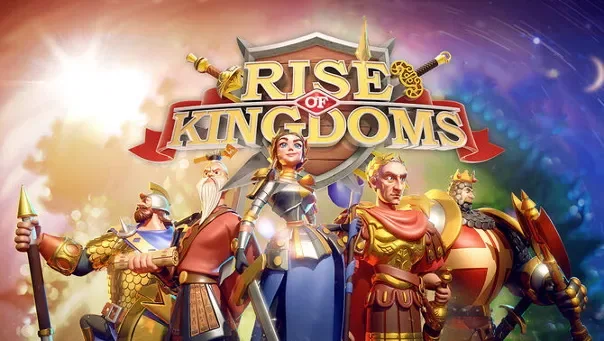
What kind of experience is it?
Choose a civilisation, develop a city and send commanders across a shared map. Exploration and alliance cooperation give your empire a place in a much larger conflict.
- Civilisations
- Commander development
- Alliance strategy
Try this in your first session
Learn the surrounding map while upgrading your city. Note nearby resources and alliance territory. Give the next upgrade a purpose instead of expanding without a plan.
Learn the resource loop before spending on upgrades. Start with a small plan and look for an active community that fits your pace.
Seeing city decisions affect a shared map connects management with wider competition. Explore the starting civilisations if commander choices and alliance coordination interest you.
What to practise next
Choose an alliance by language, schedule and expectations as well as rank. Understand your troop plan before spreading commander upgrades. The group's pace should fit the time you actually want to spend.
How to decide if it suits you
Consider it for long-term interaction on a shared map. Check an alliance's language and active hours before choosing.
Compare alternatives before choosing
A similar theme does not mean identical play. Compare the options below by pace, controls and progression. If you cannot decide, watch an introductory video for each. The activity you want to repeat is a more useful guide than the artwork alone.
Game of Thrones: Winter is Coming
Game of Thrones: Winter is Coming puts city building and alliances inside the world of the series. Develop your stronghold, recruit commanders and prepare for conflicts beyond your walls.
Game of Thrones Winter is Coming: alliance and castle plans ↗
Ikariam
Turn an island settlement into a thriving ancient civilisation. Balance resources, research, trade and diplomacy as neighbouring players build their own ambitions.
Check before starting
Free to play · in-game purchases
Regional availability and terms are confirmed on the official site.
- Check current availability, system requirements and storage on the official page.
- Use the official download link for the version or launcher that matches your device.
- Follow the publisher’s account steps, then use the tutorial, where available, to learn the controls and your first objective.
Download and registration questions
Where do I download or register for Rise of Kingdoms?
The product guide linked below provides the official publisher link and starting steps. Favorite Games does not host installers or create your game account. Use the official web page for browser products or the appropriate client for installed products. Check the edition name on the publisher's page before downloading.
Is it free to start?
Free to play · in-game purchases
Does the game support this guide's language?
The guide's language and the product's supported languages are separate. Check interface, subtitles and audio on the official store or publisher page. Also confirm server and edition compatibility with friends; changing this site's language does not change your game account's region.
Do I need Opera GX to play this game?
No. Opera GX is an optional browser; PC games use their own separate clients. You may choose it for tab organisation and browser CPU/RAM controls, but it does not guarantee a particular FPS increase. Its free browser VPN does not cover all device traffic or a separate game client.
Sources & product information
We may earn a commission when you register or download through some links.

